Software · Axn Sony

Affidavit Generator: from 3 or 4 clients a day to 20 to 30 at an advocate's office

A Windows app for Axn Sony, an advocate with Bangali Oikya Manch: one form writes all three affidavits an applicant needs. His office went from 3 or 4 clients a day to 20 to 30.

Client
Axn Sony
Categories
Software, Systems
First release
November 2025
Used by
About 10 to 15 people in his office
Built with
Python, CustomTkinter and python-docx, for Windows

Overview

Axn Sony is an advocate and a member of Bangali Oikya Manch, the community organisation whose case management platform we built. Many of the people who come to him never use that platform. Most are elderly and have little experience with computers, so they visit his office and his team prepares their papers for them. Every applicant needs the same three affidavits, and Axn Sony was preparing each one by hand. He could see 3 or 4 clients a day.

He asked us for a desktop app his office could use instead. N&D Co. built the Affidavit Generator, a Windows program: a member of his team fills in one form, and the app writes all three documents from Word templates into a folder named after the applicant, ready to print. With it, Axn Sony sees 20 to 30 clients a day, and once, with a team he put together, his office saw 150 in a single day. About 10 to 15 people in his office use it today. Those figures are his own, given to us for this case study.

This page covers why the office needed a desktop app as well as the platform, how the app works, what we fixed in version 1.1, the checks it runs before anything prints, where the data stays, and the results. The work falls under our software development service.

Why a desktop app as well

The Bangali Oikya Manch platform generates the same three documents for people who apply online. It asks each applicant to register with an email address and a one-time code, fill in their own form and upload their documents. That suits people who can do it themselves. Many of the people who come to Axn Sony cannot: most are elderly and have little experience with computers. They come to his office, and his team does the paperwork for them.

Before the app, that meant preparing every document by hand, three per person, with the same name, father's name and addresses typed again in each one. It was slow, and every retyped line was a chance for a mistake on a document the applicant would sign and take to a notary.

What the office needed:

  • One form for the applicant's and the introducer's details, filled in once.
  • All three documents written from it, with the details in the right places and the layout the templates already had.
  • A folder per applicant, so a printed set is never mixed up with someone else's.
  • Checks that stop a document going out with a missing detail or an impossible age.
  • A program that runs on the office's own Windows PCs, offline, with no accounts to create.
  • Text large enough to read on a big monitor through a long day.

What we did

Software Development

A Windows app that writes three affidavits from one form

The app is written in Python. Its window uses CustomTkinter, so it opens full screen and follows Windows' light or dark setting, and its date picker comes from tkcalendar. The documents are written with python-docx: each Word template carries placeholders such as {{NAME}} and {{IND_ADDRESS}}, the app replaces each one with the typed details, sets them in Bookman Old Style, and saves the three files into output, in a folder with the applicant's name.

It ships two ways. A Windows installer built with Inno Setup adds Start menu shortcuts, an optional desktop icon and an uninstaller. A portable zip runs from any folder, a shared drive or a USB stick, with nothing to install. Both carry the templates, so the office prints the same wording every time.

  • The Affidavit Generator for Windows, as an installer and as a portable zip
  • One form for the applicant, their addresses, a date picker and the introducer
  • Three documents written per applicant from Word templates, in a folder of their own
  • Checks on every field before anything is written
  • A tick that copies the applicant's address to the introducer's
  • Version 1.1 with larger text and buttons for big screens
  • Build scripts, a changelog, a quick start guide, a user interface guide and a build guide

One form, three documents

This is what a member of the office does for each applicant. The screenshots come from our run of the current build on 23 November 2026 with a made-up applicant; no real person's details appear on this page.

  1. Open the app. It fills the screen and follows Windows' light or dark setting.
  2. Type the applicant's name and father's name, then their addresses one part per box: village, post office, police station, district and PIN code.
  3. Pick the date the documents ask for from a calendar, so nobody types it in the wrong format.
  4. Type the introducer's name, occupation, father's name and age. If the introducer lives at the applicant's address, one tick fills it in.
  5. Press Generate Affidavits. The app checks every field, writes the three documents and says where it saved them.
  6. Print the three documents from the applicant's folder. Today's date is already in them.

What we fixed in version 1.1

Version 1.0 came out in November 2025. Version 1.1, in June 2026, fixed five problems in it. We ran both versions side by side on 23 November 2026 to show each change.

Problems in version 1.0 and what version 1.1 does instead
ProblemIn version 1.0In version 1.1
One document ran onto a second pageWith the details set at 12 pt, the Schedule 1C pushed its last line onto a second sheet.Details in that document are set at 9.5 pt, so it prints on one page. The other two stay at 12 pt.
The introducer's address was typed twiceMost introducers live near the applicant, so staff often typed the same five boxes again.A tick copies the applicant's address, locks the introducer's boxes and keeps them in step if the applicant's address is edited.
The cursor went off screenMoving down the long form with Tab took the cursor into boxes below the visible area, where it disappeared from view.The form scrolls to keep the box being typed in on screen, whether it was reached with Tab or a click.
Small text on big screensLabels, boxes and buttons were sized for an ordinary screen and looked small on large monitors.The title, labels, boxes and buttons are larger, with more space between them.
The installer only built on one PCThe build script looked for Inno Setup in one fixed folder.It finds Inno Setup wherever it is installed.

The Schedule 1C back on one page

The Schedule 1C template leaves room at the top of the first page, and at 12 pt even our short made-up details pushed its closing line onto a second sheet: a two-page document for something meant to be one. Version 1.1 sets the typed details in that one document at 9.5 pt. The pages below are the documents both versions wrote for the same made-up applicant, blurred so only the layout shows.

Larger text, and a form that follows the cursor

Checks before anything prints

A wrong or missing detail on an affidavit costs an applicant a trip back, so the app refuses to write anything until the form is complete and sensible.

  • Every box is required. If one is empty, the app names it, for example "Please fill in: Indian Address - Pin Code", and writes nothing.
  • The introducer's age box accepts digits only, and the age must be between 18 and 100.
  • The date comes from a calendar in one format, day, month and year, so it reads the same in every document.
  • Today's date is added to the documents by the app, so nobody has to remember it.
  • Each applicant gets a folder named after them. Generating again for the same name replaces that folder's documents, so a corrected form gives a corrected set.

Where the applicants' details stay

The app runs on the office's own PCs and works offline. It has no accounts, no server and no network code: what the team types goes into Word files in a folder on that PC and nowhere else. The office decides who has the PCs and the folders, as it did when the documents were typed by hand.

We built and tested it without any applicant's data. The templates hold placeholders, and every run on this page uses a made-up applicant.

Results

Axn Sony gave us these figures for this case study. They are his own, not audited, and the busiest day was the work of a team, not of the app alone.

Clients a day when every document was typed by hand
3 to 4
Clients a day with the app
20 to 30
Clients in one day, with his team
150
People in his office using it now
10 to 15

Clients seen in a day, as reported

Clients seen in a day, as reported
PeriodValue
By hand3 to 4
With the app20 to 30
Busiest day, with a team150
The first two columns are drawn at the cautious end for the comparison: 4, the top of the old range, and 20, the bottom of the new one. The labels give the figures as reported. Source: Axn Sony's figures, given to N&D Co. for this case study.

On those figures, one person now sees at least five times as many clients a day as before: 20 against 4, using the cautious end of each range. That is our calculation.

Versions

The Affidavit Generator's releases
VersionReleasedWhat it brought
1.0November 2025One form, three documents from Word templates, a folder per applicant, checks on every field, light and dark themes, a Windows installer and a portable zip.
1.1June 2026The Schedule 1C on one page, the same-address tick, a form that scrolls with the cursor, larger text and buttons, and an installer build that works on any PC.

How it fits with the Bangali Oikya Manch platform

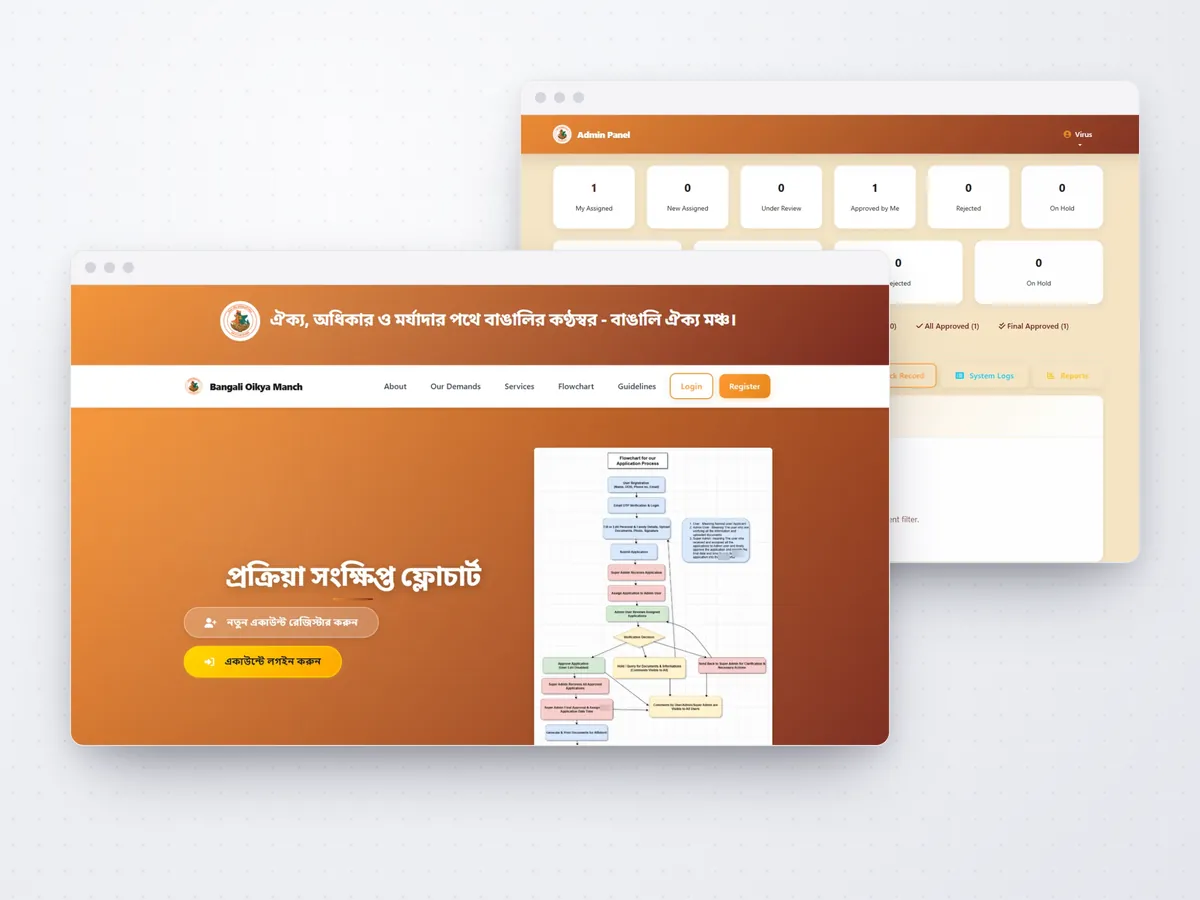
The two do the same job for different people. The case management platform serves applicants who can register and apply online, and the organisation's staff who review their cases; it generates the three documents from each approved application. The Affidavit Generator serves the people who walk into Axn Sony's office instead, and the team who fill in the form for them.

If your office fills the same documents again and again, whether it is a law practice, a notary or an agency, in India or abroad, we can build a tool like this around your own templates. See software development, or book a 15 minute call.

What the client said

Axn Sony in their own words, from a public Google review.

Google review

"Working with N&D Co has been an absolute game-changer for our business. From the initial discovery phase to the final deployment, their team demonstrated top-tier professionalism, deep technical expertise, and an incredible commitment to our vision.They didn't just write code; they took the time to truly understand our business goals and user needs. The communication was seamless throughout the entire software development lifecycle, with regular updates and quick turnarounds on feedback. What impressed me most was their ability to solve complex technical challenges with clean, scalable, and efficient solutions.Thanks to their hard work, our software was delivered on time and within budget, exceeding all of our performance expectations. If you are looking for a reliable, highly skilled, and proactive software development partner, I cannot recommend N&D Co highly enough"

Axn Sony

Frequently asked questions

What does the Affidavit Generator do?

It is a Windows app for Axn Sony's office. A member of his team fills in one form with the applicant's and the introducer's details, and the app writes three affidavits from Word templates into a folder named after the applicant, ready to print.

Why build a desktop app when the Bangali Oikya Manch platform already generates these documents?

Because many of the people who come to Axn Sony never use the platform. Most are elderly with little experience of computers, so they visit his office and his team prepares their papers. The app lets the team do that in one step on the office PCs.

How much faster is it than preparing the documents by hand?

Axn Sony saw 3 or 4 clients a day when every document was prepared by hand, and 20 to 30 with the app. Once, with a team, his office saw 150 in one day. These are his own figures, not audited.

Does the app send applicants' details anywhere?

No. It runs offline on the office's own PCs, with no accounts and no server. What the team types goes into Word files in a folder on that PC.

What changed in version 1.1?

One document that used to run onto a second page now prints on one, a tick copies the applicant's address to the introducer's, the form scrolls to keep the cursor in view, the text and buttons are larger for big screens, and the installer builds on any PC.

Does it need to be installed?

No. It comes as a Windows installer with Start menu shortcuts and an uninstaller, and as a portable zip that runs from any folder, shared drive or USB stick.

Can you build something like this for our office?

Yes. If your office fills the same documents again and again, we can build a tool around your own templates, with the checks your work needs, for Windows or the web, in India or abroad.

Want something like this?

Tell us about your business in a few lines and we will reply with questions or a quote. We work from Kolkata with clients across India and abroad.

Get a quote