


Open source · Rust
ShoutingToad SEO Spider: a free, open-source website crawler
A free, open-source SEO spider for Windows, macOS and Linux. It crawls your site like a search engine and audits every page against 474 checks, with reports you can hand to a client.
- Built by
- N&D Co.
- Language
- Rust
- Licence
- AGPL-3.0
- Version
- v1.0.0, released on 24 November 2026
- Runs on
- Windows 10 and 11, macOS 11 or newer, 64-bit x86 Linux
- Checks
- 474 built-in checks in 30 categories
Download ShoutingToad ShoutingToad on GitHub ShoutingToad documentation
Overview
ShoutingToad SEO Spider is a website crawler that finds the SEO and UX problems on a site. Point it at a website and it visits every page the way a search engine does, then checks each one against 474 built-in checks in 30 categories: broken links, redirects, titles, descriptions, headings, canonicals, hreflang, structured data, security headers, performance, accessibility and AI search readiness. Every finding says what is wrong, why it matters and how to fix it.
It is free and open source under the AGPL-3.0 licence, with no account, no licence key and no paid tier. It runs on Windows, macOS and Linux as a desktop app, and the same program works from the command line, so you can run an audit on every deploy in GitHub Actions or any other CI.
We built ShoutingToad at N&D Co., the team behind our SEO services, and released it so anyone can use it, read the code and improve it. It is written in Rust and custom made: the crawler, the audit engine, the reports and the desktop app are our own code, built on the open-source Rust libraries listed further down.
Links, versions and releases
| Item | Details |
|---|---|
| Source code | The ShoutingToad repository on GitHub |
| Documentation | The ShoutingToad documentation |
| Current version | v1.0.0, released on 24 November 2026: release notes for v1.0.0 |
| All releases | Every ShoutingToad release on GitHub |
| Commit history | Every ShoutingToad commit on GitHub, from the first on 23 November 2026 |
| Licence | The AGPL-3.0 licence |
Download ShoutingToad
Every build is on the ShoutingToad releases page on GitHub. These buttons download the latest release straight from there:
- Windows installerShoutingToad-Setup-x64.exe, Windows 10 and 11 (64-bit)
- Windows portableZip file, nothing to install
- macOS, Apple SiliconApp bundle for M-series Macs, macOS 11 or newer
- macOS, IntelApp bundle for Intel Macs, macOS 11 or newer
- LinuxTarball with an install script, 64-bit x86
- ChecksumsSHA256SUMS.txt, to check a download
- Windows: run the installer. "Install for me only" needs no admin rights, and it adds Start menu shortcuts, opens .shoutingtoad files and can put the command line on your PATH. The portable zip needs no install: unzip it and run shouting-toad.exe.
- macOS: unzip the app, drag ShoutingToad.app to Applications, then right-click it and choose Open the first time.
- Linux: extract the tarball and run ./install_linux.sh, or run it as root to install it for every user.
The builds are not code-signed or notarised, so Windows SmartScreen and macOS warn before the first run. Check the file against SHA256SUMS.txt if you want to be sure it is the one we published. ShoutingToad never updates itself: to update, download the new release, and the Windows installer replaces the program in place, keeping your settings and saved crawls.
On Linux you can also install straight from GitHub with one command:
curl -fsSL https://raw.githubusercontent.com/NDcompany/ShoutingToad/main/installer/install_linux.sh | bashCrawl a site and see what to fix
Type a website address and press Start. robots.txt is respected by default. While the crawl runs, the Overview fills in: a health score from 0 to 100, the number of URLs crawled and indexable, the Issues, Warnings and Opportunities found, the top findings, response codes, crawl depth and content types. You can pause, resume or stop at any time, and stopping keeps what was crawled.
The Issues panel
Every check that fired is listed on the left, grouped by category, with the number of URLs it affects. Filter by Issue, Warning or Opportunity, hover a finding for what it means and how to fix it, and click it to list the affected URLs in the table.
The URL table and inspector
The table lists every crawled URL with its status, indexability, title and title length, word count, depth, inlinks, response time, size and issue count. Quick filters such as Internal, Images, Not 200 and Non-Indexable, a search box and sortable columns narrow it down. Click a URL and the inspector at the bottom shows it in ten tabs: Details, Issues, Inlinks, Outlinks, Images, HTTP Headers, SERP Snippet, Structured Data, Rendered and CWV (Core Web Vitals). The SERP Snippet tab previews the Google result on desktop and on phones, with the title and description widths in pixels.
Spider settings and list mode
Spider settings control how the crawl behaves: the URL limit (100,000 by default, up to 5,000,000), depth, threads, the delay between requests, the timeout, the user agent (with presets for Googlebot on phones and desktops, Bingbot and Chrome), robots.txt, subdomains, external link checks, include and exclude patterns, and custom search and extraction with regular expressions. List mode audits exactly the URLs you paste in (or a text file of URLs on the command line), without following links, and gives you the same tables, panels and reports.
What does ShoutingToad check?
ShoutingToad runs 474 built-in checks in 30 categories: 149 Issues, 223 Warnings and 102 Opportunities. Each has an id, such as titles.duplicate, a type and a priority. Help > All 474 checks lists them in the app with what each means and how to fix it, and the command shouting-toad checks prints the full list as CSV.
| Category | Checks | What it covers |
|---|---|---|
| Response Codes | 56 | Redirect and error codes, failed requests and robots.txt blocks, internal and external |
| Structured Data | 69 | JSON-LD errors and the required or recommended properties of common types |
| Security | 25 | HTTPS, mixed content, security headers and cookie flags |
| Links | 22 | Broken links, anchor text, inlinks, crawl depth and link attributes |
| URL | 19 | Length, parameters, case, underscores and other URL problems |
| Canonicals | 18 | Missing, conflicting and broken canonical tags |
| Sitemaps | 18 | Missing or invalid sitemaps, size limits and the URLs they list |
| Performance | 18 | Response time, page weight, compression, caching and render-blocking files |
| Page Titles | 17 | Missing, duplicate, too long or too short, and pixel width |
| Images | 17 | Alt text, file size, format, dimensions, lazy loading and broken images |
| Directives | 17 | Meta robots and X-Robots-Tag rules |
| Accessibility | 16 | Labels, accessible names, language, landmarks, captions, contrast and keyboard focus |
| Meta Description | 14 | Missing, duplicate, too long or too short |
| Redirects | 13 | Chains, loops, broken targets, meta refresh and JavaScript redirects |
| Hreflang | 13 | Language and region tags and their return links |
| Social | 13 | Open Graph and Twitter card tags |
| Core Web Vitals | 12 | LCP, INP and CLS field data rated poor or needs improvement |
| Validation | 12 | Doctype, head and body structure, character encoding and deprecated elements |
| Robots.txt | 11 | Missing, unreachable or invalid files, site-wide blocks and Sitemap lines |
| Resources | 11 | Broken, redirected or heavy CSS and JavaScript, and third-party scripts |
| Content | 10 | Thin, duplicate and placeholder content, soft 404s and readability |
| AI Search | 9 | What AI crawlers can reach, read and quote |
| Rendering | 9 | Content, links and tags that change after JavaScript, plus script errors |
| H1 | 7 | The main H1 heading of each page |
| Mobile | 7 | Viewport, zoom, plugins, frames and touch icons |
| Pagination | 6 | rel next and prev links and the pages they point to |
| H2 | 5 | H2 subheadings |
| Headings | 4 | The order of heading levels |
| Meta Keywords | 3 | Leftover keyword tags |
| AMP | 3 | AMP pages and their links |
Response Codes count most HTTP statuses as a check of their own, for internal and external URLs, and most Structured Data checks are one per property, which is why those two are the biggest. 24 checks need an optional feature to fire: the Rendering checks and three Accessibility checks need JavaScript rendering on, and the Core Web Vitals checks need a free Chrome UX Report API key.
Reports you can hand to a client
Reports > HTML audit report writes one self-contained web page: the health score, a summary of the crawl and every finding with what it means, how to fix it and the affected URLs. It needs no internet connection or other files, takes a client name and a "prepared by" line, and prints to PDF from any browser.
Reports > Accessibility (WCAG/EAA) report writes the accessibility starter report. It relates the accessibility, mobile and image checks to the success criteria of WCAG 2.2 Level A and AA, with pass and fail counts and the affected URLs for each. It covers 16 of the 55 Level A and AA criteria, each only in part, and says so on the page: it is a starting point for a manual review, not a compliance statement. With JavaScript rendering on it also measures text contrast, visible keyboard focus and click handlers that only work with a mouse.
Export saves the URL table, the issues summary, every issue with its URLs, inlinks, outlinks, images and redirect chains as CSV files, or all of them into one folder. File > Save crawl keeps the whole crawl in one .shoutingtoad file (compressed JSON that any gzip tool can read) to open later, compare or share.
AI search readiness and the AI title writer
After a crawl, ShoutingToad tests 18 AI crawlers on your start page and the four most linked indexable pages. It requests those pages as 16 of them, by their published user agents: search crawlers such as OAI-SearchBot, Claude-SearchBot and PerplexityBot, crawlers that fetch a page when someone asks, such as ChatGPT-User, and training crawlers such as GPTBot, ClaudeBot and CCBot. The other two, Google-Extended and Applebot-Extended, are robots.txt names only, so for them it checks your robots.txt rules. It compares each answer with a normal request and with a request that claims to be Googlebot, so a firewall, CDN or bot challenge that blocks AI crawlers shows up separately from your robots.txt rules. It also flags content that is invisible without JavaScript and scores how quotable each section of a page is.
That takes about 90 extra requests for five pages, four at a time. It is on by default and the command-line option --no-ai-bots turns it off. Our study of AI crawler blocking on small business sites explains why the difference between robots.txt and a firewall block matters.
The AI title and description writer
Tools > Title & description writer suggests titles and meta descriptions for indexable pages whose title or description is missing, too short or too long. The default provider, Offline rules, uses no AI at all and reuses text already on the page, so nothing leaves your computer. You can also connect OpenAI or any compatible server, including local models in Ollama or LM Studio, Anthropic Claude or Google Gemini with your own API key. Keys stay in memory and are never written to disk. It only suggests text and never changes your website, and the suggestions export to CSV.
JavaScript rendering and Core Web Vitals
Some sites build their pages with JavaScript, so the HTML a crawler first receives is nearly empty. Turn on JavaScript rendering and ShoutingToad opens each page in a Chromium-based browser already on your computer (Chrome, Chromium, Edge or Brave; it downloads nothing), headless, in a temporary profile that is deleted afterwards. The Rendered tab shows the raw HTML and the rendered page side by side, and nine Rendering checks flag content and links that only exist after JavaScript, titles, H1s, canonicals and robots tags that JavaScript changes, plus JavaScript errors and timeouts. Links that appear only after rendering are followed too.
Core Web Vitals come from Google's Chrome UX Report, the field data of real Chrome users, with your own free Google API key. ShoutingToad fetches LCP, INP, CLS, FCP and TTFB for phones and desktops, for the whole origin and for each indexable URL (up to 500 by default), shows them in the inspector's CWV tab and flags poor and needs-improvement LCP, INP and CLS. Our guide to Core Web Vitals explains what each one measures.
Compare crawls, plan migrations and find internal links
Compare two crawls
Tools > Compare with a saved crawl shows what changed since the last crawl: findings that are new, fixed or still there for each check, URLs added and removed, and changes to status codes, indexability, titles, descriptions, H1s, canonicals, meta robots and word counts, with the change in health score. It writes a comparison report and CSV files too.
Site migrations
Crawl the old site and the new one (staging is fine) and Tools > Migration redirect mapper proposes a new URL for every old one: the same URL, the same path, then matching titles, H1s, content and words in the URL, each with a confidence score and the reason. You can edit any target, then export redirect_map.csv and ready-made rules for Apache (.htaccess), nginx, Netlify (_redirects) and Cloudflare bulk redirects. URLs with no match stay out of the server rules until you decide. After launch, shouting-toad validate-redirects checks the live old URLs and lists every one that does not redirect with a 301 straight to its new page.
Internal link finder
Tools > Internal link finder lists pages that mention another page's H1 or title in their text without linking to it, with the sentence around the mention. It works on the crawl you already have, with no extra requests, no AI and no key, and exports to CSV.
Command line, CI and rule packs
The crawl, the audit, the reports, crawl comparison and the migration tools also run from the command line. Each crawl writes report.html, the CSV files, accessibility.html, ai_bots.csv and a crawl.shoutingtoad file that opens in the app.
shouting-toad crawl https://example.com --out report --max-urls 5000
shouting-toad list urls.txt --out report
shouting-toad checks
shouting-toad compare before.shoutingtoad after.shoutingtoad --out comparison
shouting-toad migrate old-site.shoutingtoad new-site.shoutingtoad --out migration
shouting-toad validate-redirects migration/redirect_map.csv --out redirect-check
An SEO quality gate for every deploy
In CI, ShoutingToad can stop a deploy that would harm search: --fail-on high exits with code 2 when the site has Issues at that priority, --fail-on-check fails on checks you name, and --baseline with --fail-on-new fails only on Issues that are new since the last crawl, so a site with known problems can still ship. --summary-md writes a Markdown summary for a pull request, and --badge writes an SEO health badge for your README. In the app, Reports > CI workflow (GitHub Actions) writes a ready-made GitHub Actions workflow that runs on every push to main, every week and on demand.
shouting-toad crawl https://staging.example.com --out seo-report \
  --baseline previous/crawl.shoutingtoad --fail-on-new high \
--summary-md seo-report/summary.md --badge seo-report/seo-badge.svgRule packs: checks of your own
A rule pack adds checks written as a small TOML file: CSS selectors and regular expressions on the HTML, URL, headers, status codes and page metrics, combined with all, any and not. Their findings appear wherever the built-in checks do, in the health score and in --fail-on-check. Rule packs are data, not code: they cannot run programs, read files or make network requests. Four starter packs come with it, for Shopify, WordPress, local SEO and e-commerce, with 42 rules between them.
[[rule]]
id = "old-shop-links"
name = "Links to the old shop"
kind = "issue"
priority = "high"
fix = "Link to /store/ instead."
when = { selector = 'a[href*="shop.example.com"]' }
Privacy and crawling responsibly
- No telemetry, no account and no licence server. ShoutingToad sends requests only to the site you crawl, the external links and files that site uses (unless you turn external checks off) and, if you choose to use them, your AI provider and Google's Chrome UX Report API.
- It never checks for updates in the background.
- API keys stay in memory and are never written to disk. In the app, crawls are saved only when you save them.
- robots.txt is read before the first page and respected by default. Turning that off shows a warning, and should only be done on sites you own or have permission to audit.
- It identifies itself as ShoutingToad in its user agent, with a link to the project, unless you choose another.
- It does not solve CAPTCHAs or try to get around a site's bot protection.
The defaults are 6 threads with no delay between requests, which suits your own site. If a server answers 429, too many requests, the whole crawl pauses for the time the server asks, between 1 and 30 seconds, then tries the URL again. For a site you do not own, the user guide recommends 1 or 2 threads and a delay of at least one second.
How we built and tested ShoutingToad
| Part | Built with |
|---|---|
| Language | Rust (2021 edition, Rust 1.87 or newer to build), about 24,000 lines of code plus about 5,500 lines of tests |
| Desktop app | egui and eframe, one window on Windows, macOS and Linux |
| Crawler | reqwest with rustls and HTTP/2, gzip and Brotli; HTML parsed with scraper, sitemaps with roxmltree |
| Audit engine | Each check is its own test over every page, run in parallel; near duplicates found by simhash |
| JavaScript rendering | Your installed Chromium-based browser, driven through the Chrome DevTools Protocol by our own client on 127.0.0.1 |
| Releases | Built for four targets by GitHub Actions; the Windows, Linux and Apple Silicon builds are smoke-tested with a real crawl before release |
What we measured
- A crawl of books.toscrape.com, a public practice site, from our development PC at 8 threads: 3,125 URLs in about two minutes, about 26 URLs a second. On a live site, speed depends mostly on the server and your connection.
- A synthetic test site served from the same computer, with every network delay removed: 60,010 URLs in 28.4 seconds at 32 threads on a 16-core PC, about 2,100 URLs a second, with the four starter packs loaded (516 checks).
- Hostile test pages, such as 100,000 nested tags, a 25 MB page, binary data, invalid text encoding, redirect loops and a calendar trap: a 5,000-URL crawl finished in 21 seconds without a crash.
- Memory: about 50 KB per crawled page, because the whole crawl is kept in memory.
- JavaScript rendering on quotes.toscrape.com/js, from the same PC: 481 URLs in about two minutes with four browser tabs, about 4 URLs a second.
Before release we crawled public sites and checked the findings by hand, ran 25 end-to-end test cases against a local site built to trigger the checks, and ran every command against real sites. Writing the 26-page user guide, with its screenshots, turned up about 40 more problems, all fixed before version 1.0.0.
Known limits
- The whole crawl is kept in memory, so crawls of hundreds of thousands of URLs need several GB of RAM.
- Builds are not code-signed or notarised, so Windows and macOS warn before the first run.
- The prebuilt Linux version is for 64-bit x86 only; other processors can build from source.
- Sites behind strong bot protection may answer 403 or 429, and ShoutingToad will not try to get past it.
- Core Web Vitals need your own Google API key, and the Chrome UX Report has data only for pages with enough Chrome users.
- The internal link finder matches exact phrases only.
- The accessibility report covers part of WCAG 2.2 and cannot replace a manual review.
Questions about a technical audit for your own site? Our technical SEO checklist covers what to fix first, and RankGuru, our free on-page checker, checks a single page in your browser.
Frequently asked questions
What is ShoutingToad SEO Spider?
ShoutingToad SEO Spider is a free, open-source website crawler for SEO audits. It visits every page of a site the way a search engine does and checks each one against 474 built-in checks in 30 categories, from broken links and redirects to titles, canonicals, structured data, accessibility and AI search readiness. It runs on Windows, macOS and Linux, as a desktop app or from the command line.
Is ShoutingToad really free? Is there a URL limit?
Yes. It is free and open source under the AGPL-3.0 licence, with no account, no licence key and no paid tier. A crawl stops at 100,000 URLs by default, and you can raise that in Spider settings to 5,000,000. The practical limit is memory: the whole crawl is kept in memory, at about 50 KB per page.
Which operating systems does ShoutingToad run on?
Windows 10 and 11 (64-bit), macOS 11 or newer on Apple Silicon and Intel, and 64-bit Linux on x86. Windows has an installer and a portable zip, macOS an app bundle for each processor, and Linux a tarball with an install script. Other processors can build it from source with Rust 1.87 or newer.
Why does Windows or macOS warn me when I open it?
The builds are not code-signed on Windows or notarised on macOS, because signing costs money and this is a free project. On Windows, SmartScreen shows "Windows protected your PC": choose More info, then Run anyway. On a Mac, right-click the app and choose Open the first time. Each release publishes SHA-256 checksums so you can check the file is the one we published.
Does ShoutingToad send my data anywhere?
No. It has no telemetry, no account and no licence server, and it never checks for updates in the background. It sends requests only to the site you crawl, the external links and files that site uses (unless you turn external checks off) and, if you choose to use them, your AI provider for the title writer and Google's Chrome UX Report API for Core Web Vitals. API keys stay in memory and are never written to disk.
Does it respect robots.txt?
Yes, by default. It reads robots.txt before the first page and follows its rules. You can switch that off for a site you own or have permission to audit, and the app then shows a warning. It reports a Crawl-delay but does not apply it automatically, so set a delay yourself for sites you do not own.
Can ShoutingToad crawl JavaScript sites?
Yes. Turn on JavaScript rendering and it uses a Chromium-based browser already on your computer (Chrome, Chromium, Edge or Brave) in headless mode, in a temporary profile it deletes afterwards. It then compares the raw HTML with the rendered page and flags content and links that only exist after JavaScript, and titles, canonicals and robots tags that JavaScript changes. Rendering is much slower than a plain crawl.
Can I use ShoutingToad in CI or GitHub Actions?
Yes. The command line can fail a build when a site has Issues at or above a chosen priority, when a named check fires, or only when Issues are new since the last crawl. It can also write a Markdown summary for a pull request and an SEO health badge. In the app, Reports > CI workflow (GitHub Actions) writes a ready-made workflow.
More open-source work
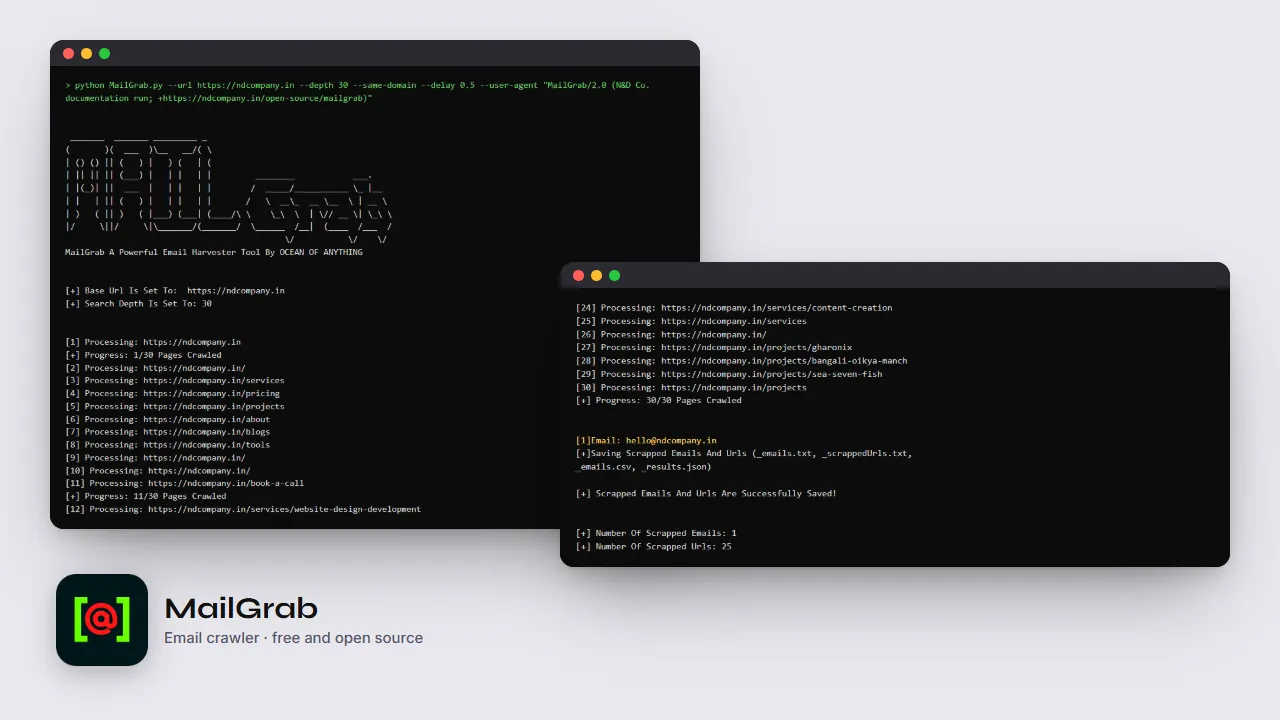
MailGrab
A crawler for checking which email addresses your own websites publish, and on which pages. It checks robots.txt by default and also runs as an MCP server.
See the project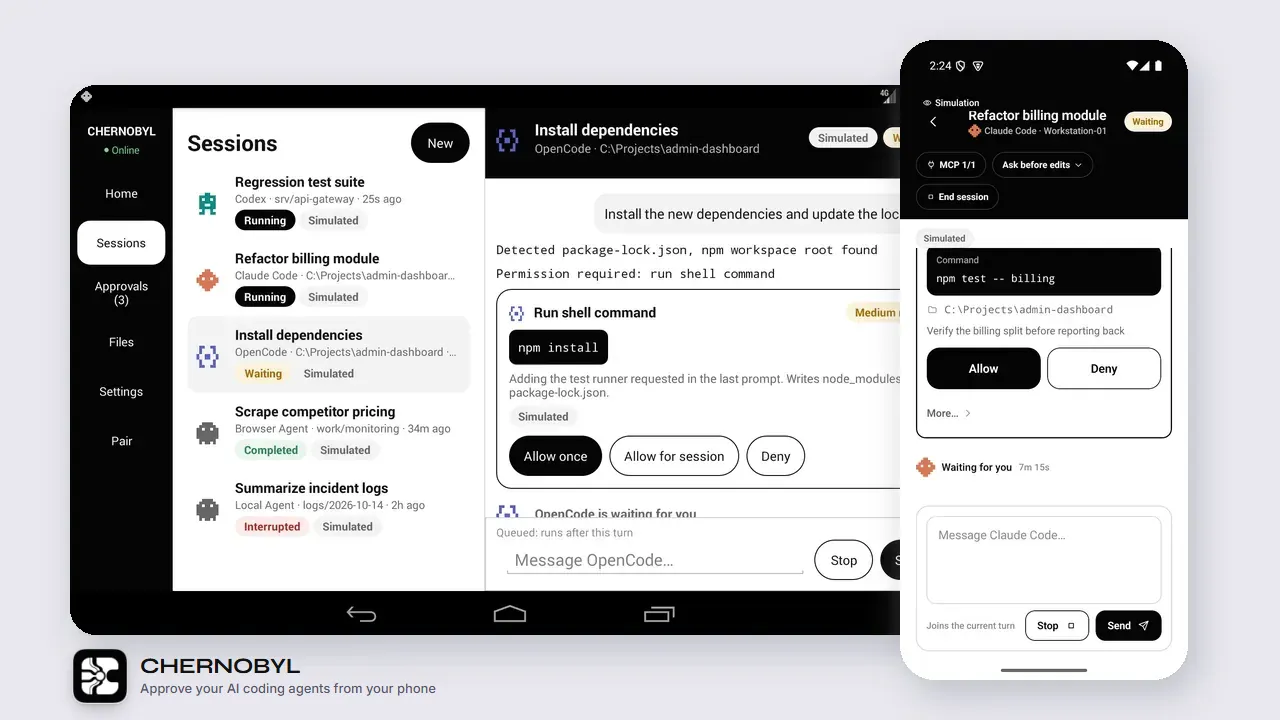
CHERNOBYL
An Android app to watch, steer and approve Claude Code, Codex, OpenCode and Antigravity agents on your PC, through a local companion with end-to-end encryption and no cloud.
See the projectNeed a tool built for your business?
Our software development service builds web applications and internal tools. Tell us what you need in a few lines and we will reply with questions or a quote.
Get a quote